Direct manipulation
Select the real page. Drag, resize, align, restyle, edit text, replace media, and inspect exact rendered values.

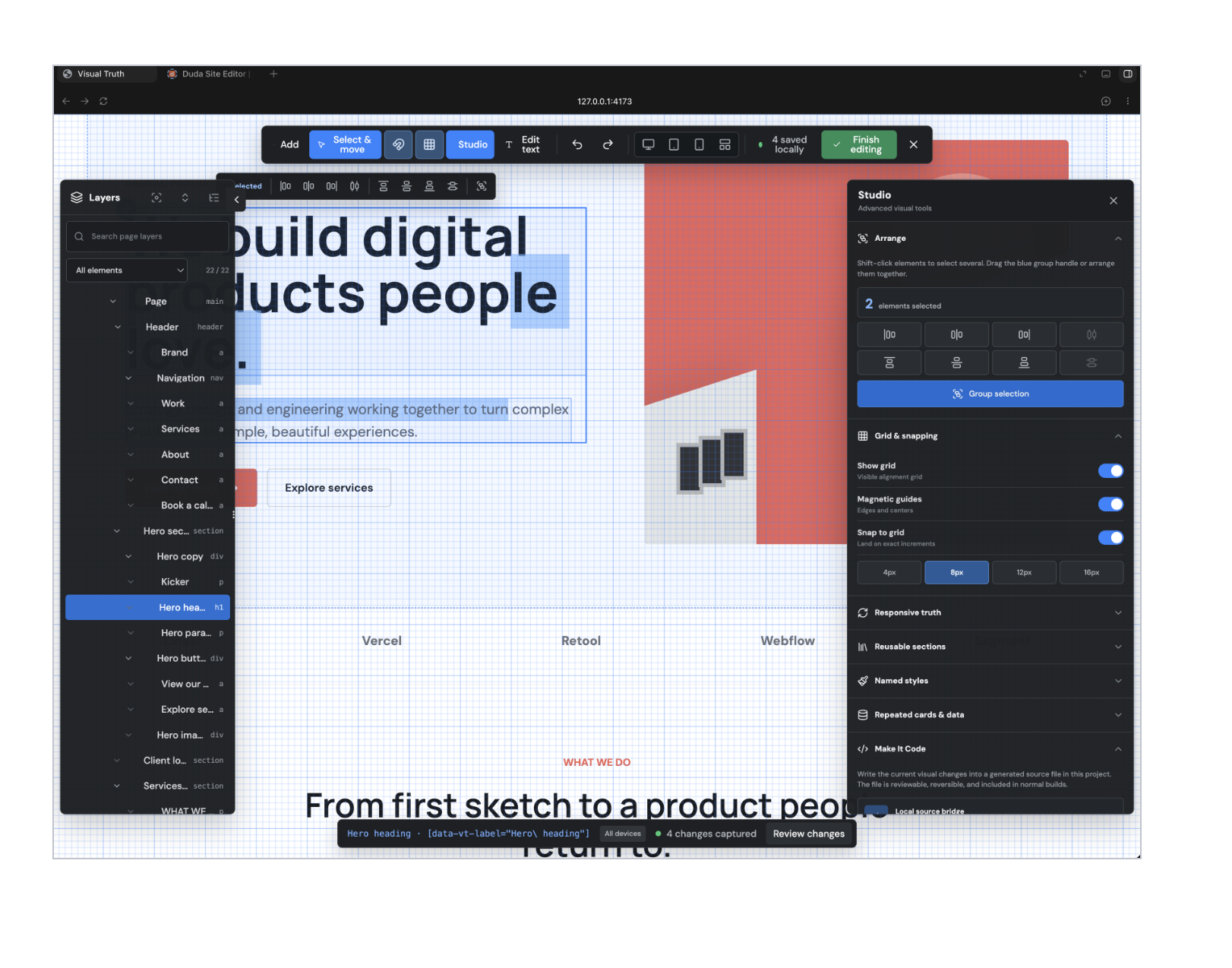
Visual editing for Codex
Move the thing. Size it. See every viewport. Then make the exact result durable code.
Version 1.3.0 · Development-only React editor
Designed for the last ten percent
Visual Truth surrounds the website you are already building with an attached Lightroom-style workspace. The page remains live in the center while Layers, Design, Studio, rulers, responsive previews, and exact measurement controls stay within reach.
Select the real page. Drag, resize, align, restyle, edit text, replace media, and inspect exact rendered values.
Review Desktop, iPad, Phone, or all three together at exact CSS viewport sizes before changing source.
Write the approved visual history into a reviewable generated module, then let Codex fold it into the owning components.
Precision without the code detour
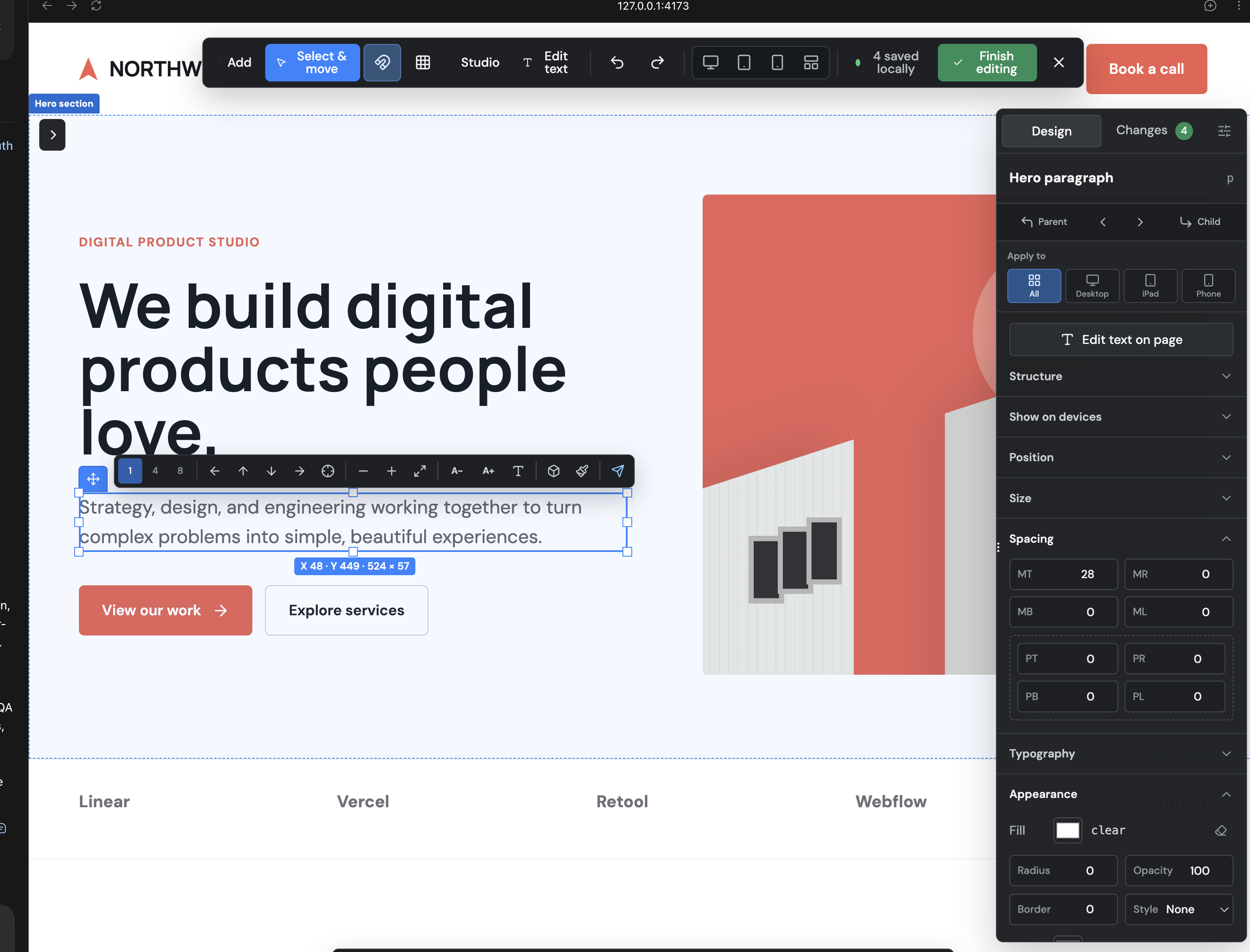
Built for precision
One local workflow
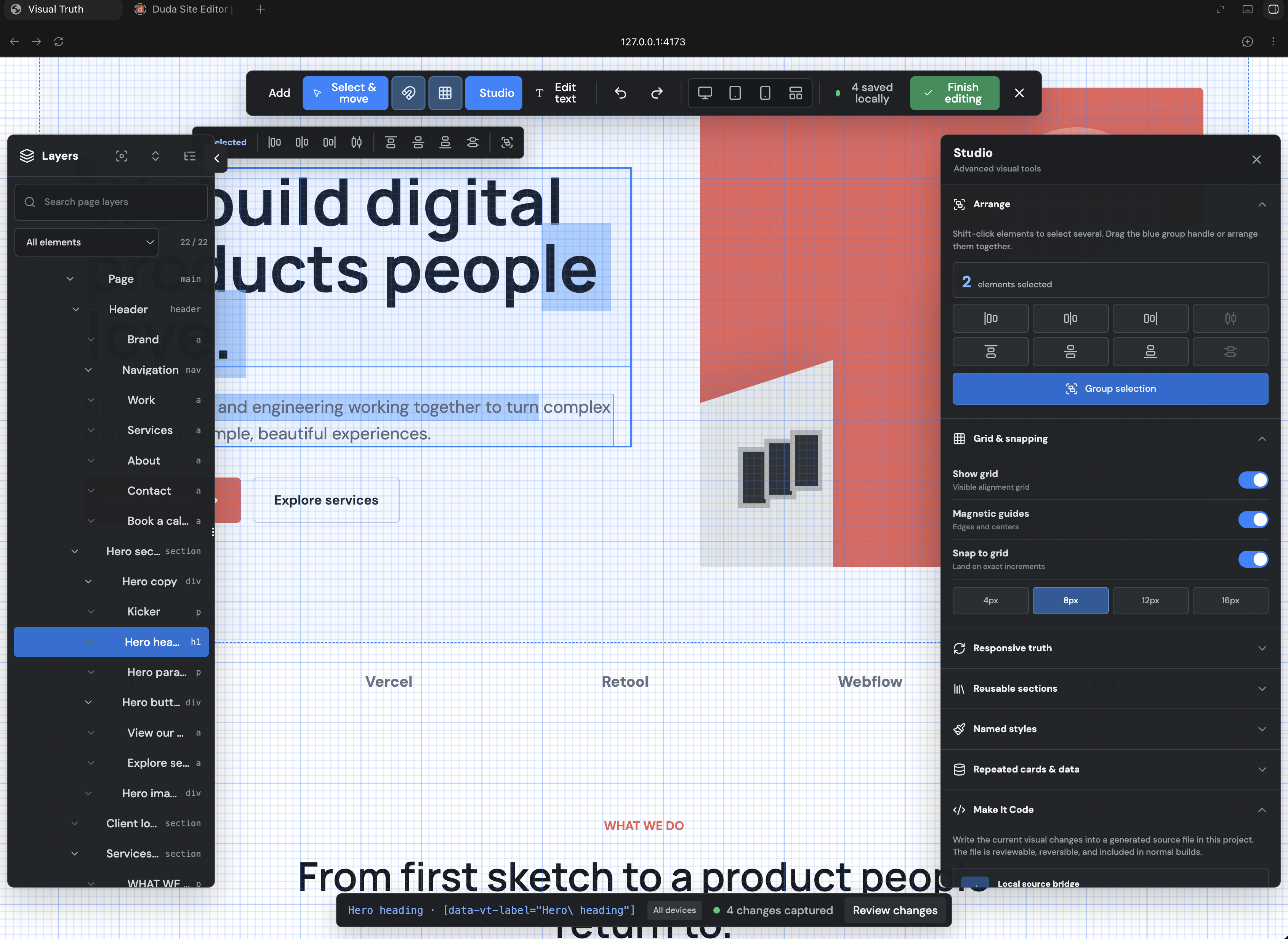
Visual Truth changes the source you already own. Your normal hosting workflow publishes the finished website.
Commit the approved source, run the production build, review it, then deploy with your existing host.
Only the plugin publisher uploads a new Visual Truth release to the OpenAI plugin portal. Users do not republish the plugin.
Production boundary
Visual Truth has no advertising tracker. Version 1.3.0 records only anonymous aggregate installation events and feedback you deliberately submit—never automatic project names, source code, page content, screenshots, device identifiers, identities, or editor activity. The editor remains a development dependency and is tested not to enter production output.
Read the privacy notice